Presets & LUTs
Presets capture a complete set of editing parameters and apply them in one tap. LUTs (Look-Up Tables) provide color transformations from external sources. Together, they let you build and reuse consistent looks across your work.
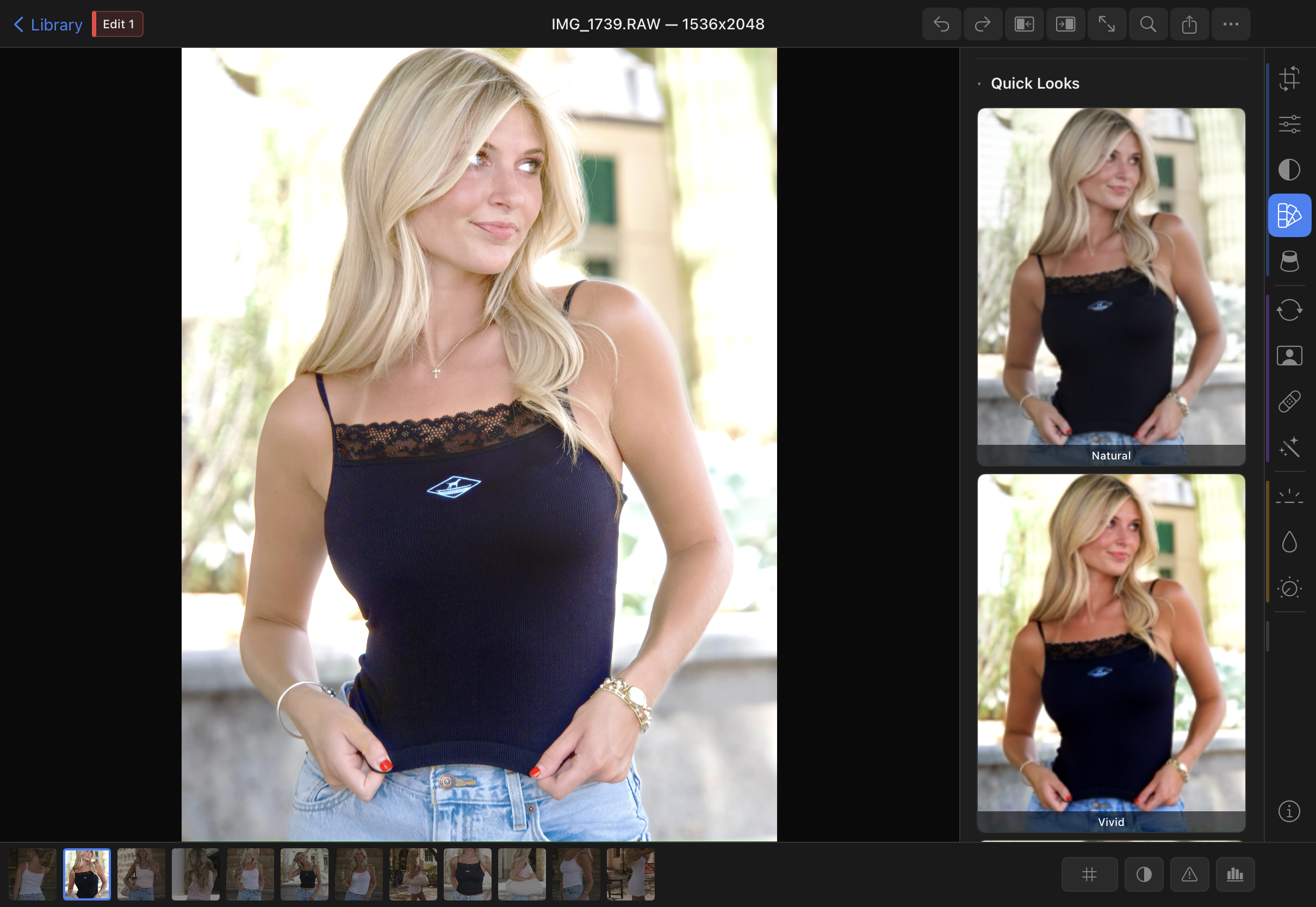
Built-in Presets
Chromaform ships with 9 built-in presets that demonstrate the range of the editing engine:
| Preset | Character |
|---|---|
| Natural | Neutral starting point — slight contrast and vibrance boost |
| Vivid | Punchy saturation and contrast for landscapes and travel |
| Film | Lifted blacks, gentle highlight rolloff, grain — classic film emulation |
| Matte | Faded shadows, desaturated highlights, editorial feel |
| Cinematic | Teal shadows, warm highlights, strong vignette |
| Monochrome | Black-and-white with zone system adjustments for rich tonal range |
| Golden | Warm color grade with lifted shadows and soft contrast |
| Cool | Blue-toned grade with increased clarity for a crisp, modern look |
| High Key | Bright exposure, reduced contrast, minimal shadows — airy and light |
LUT Import
Chromaform supports .cube LUT files (3D LUT format). To import a LUT:
- Place the
.cubefile inDocuments/LUTs/via the Files app, AirDrop, or iTunes file sharing - The LUT appears automatically in the Presets panel under the LUTs section
- Tap a LUT to preview it on the current image
- Adjust the Intensity slider (0–100%) to blend the LUT with the original
.cube files — Resolve, Photoshop, VSCO, or online LUT marketplaces. Just drop the file into Documents/LUTs/ and it appears in the panel.Film Pack
Chromaform offers an optional film pack containing approximately 80 LUTs emulating classic film stocks. The pack is downloaded on demand (~2 MB) the first time you open the Film Pack section.
These LUTs are sourced from the G'MIC project and licensed under CC-BY-SA 3.0. Attribution is included in the app's acknowledgments screen. Film stocks include:
- Kodak Portra 160, 400, 800
- Kodak Ektar 100
- Fuji Pro 400H, Superia 400
- Ilford HP5+, Delta 3200 (B&W)
- Kodachrome 64, Ektachrome E100
- And many more — browse by stock name or color character
Preset Search
As your collection grows, use the search bar at the top of the Presets panel to find presets and LUTs by name. The search matches both built-in presets, user-created presets, and imported LUT filenames.
Creating Custom Presets
After editing an image to taste, you can save the current settings as a preset. See Global Styles for details on saving, organizing, and applying presets across projects.